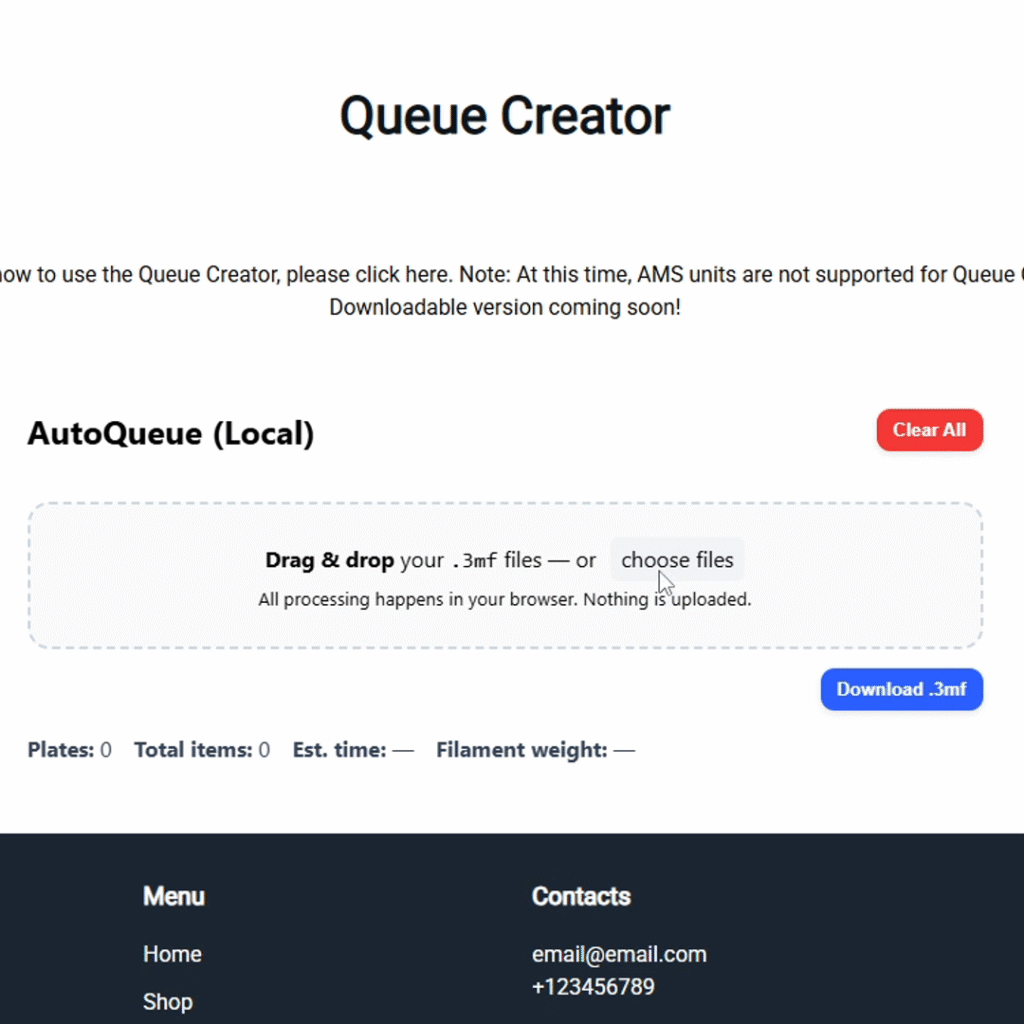
1. Navigate to the “Queue Creator” page on the AutoQueue website.
2. Either select the “choose files” option to select all .gcode.3mf files as previously exported from the Bambu Studio “Export plate sliced file” option, or directly drag-and-drop those files into the “Drag & drop” area in the Queue Creator.
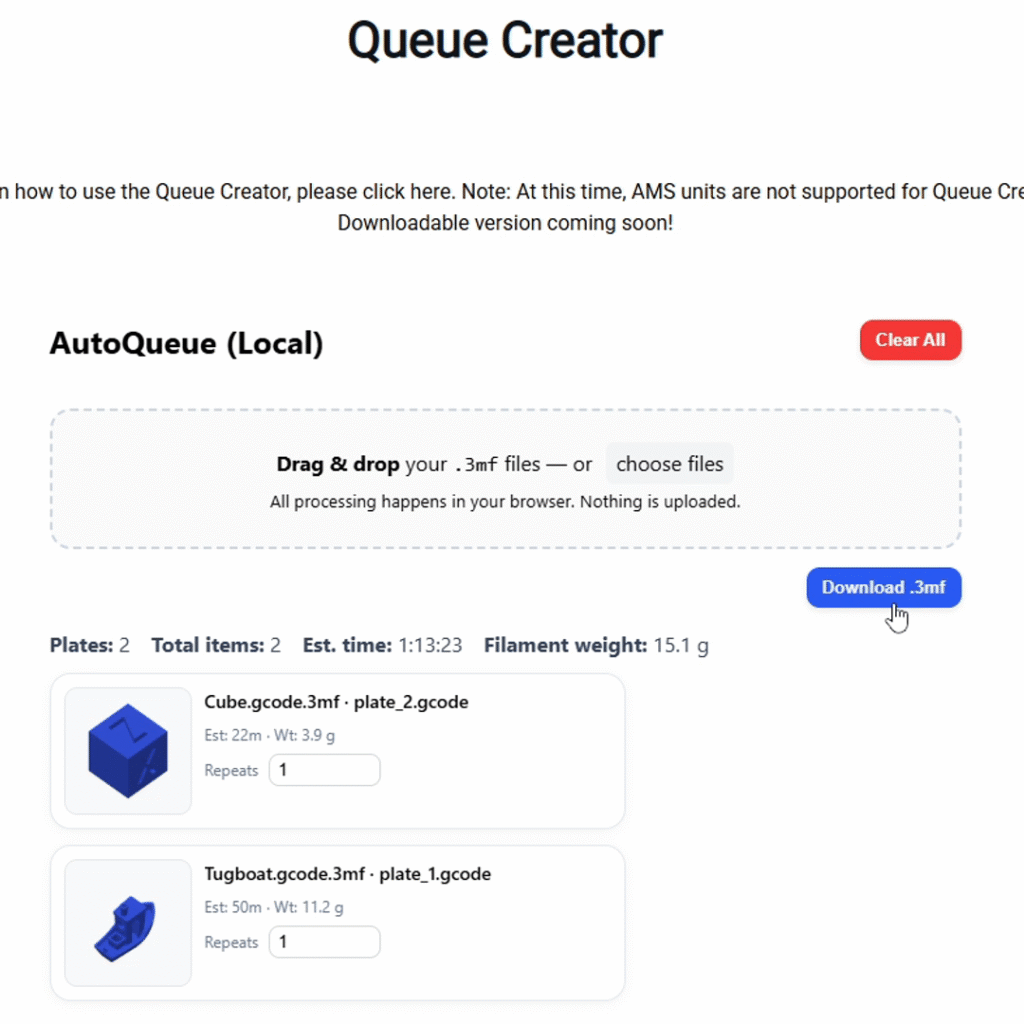
3. Restructure your print queue as necessary. Each file can be repeated multiple times by adjusting the “Repeats” setting for each file, and the order of the files can be changed by clicking and dragging files to the top (files will be queued in order, top to bottom).
4. When complete, select “Download .3mf” and save to your computer somewhere readily accessible.