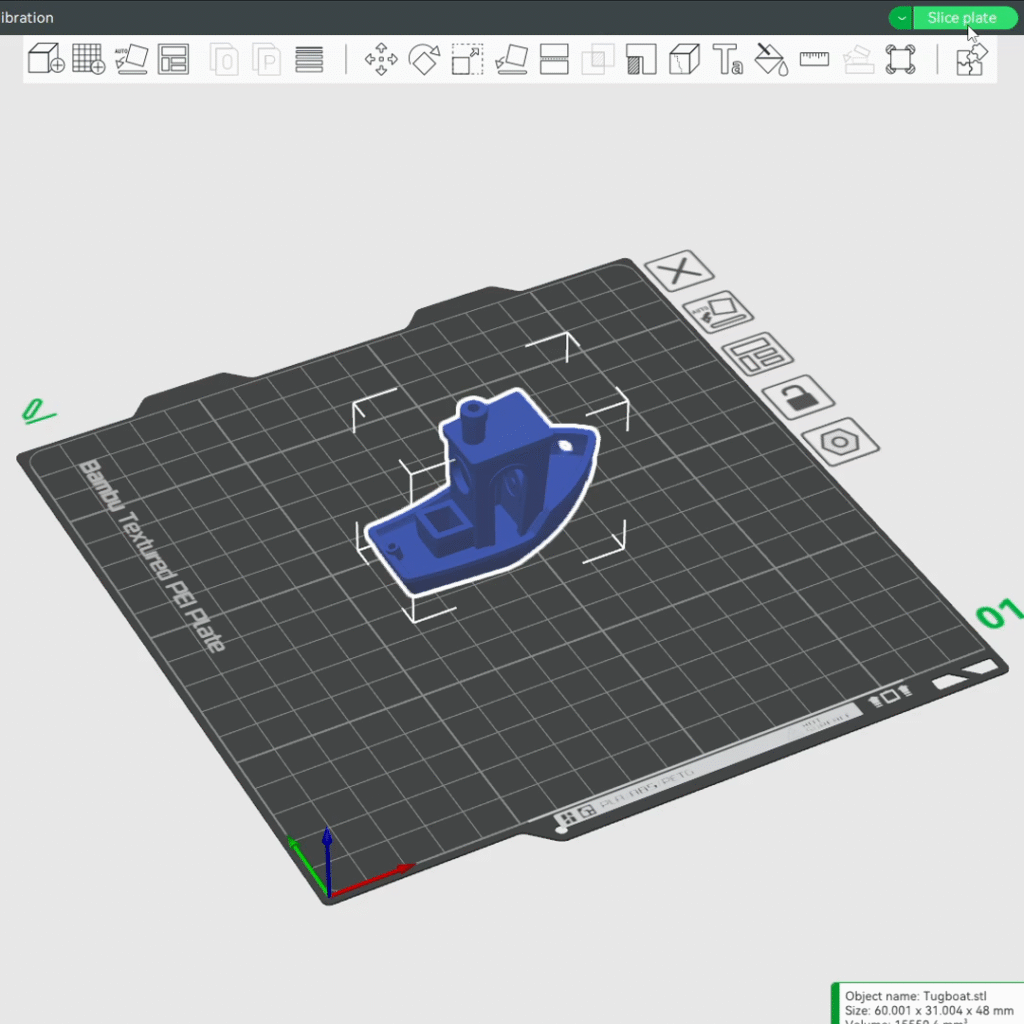
1. Open Bambu Studio.
2. Import a 3D object file that you would like to print as you normally would without the AutoQueue.
3. Modify slicing/print parameters to your liking, and when ready, slice the “Slice plate” feature to generate the printer toolpath.
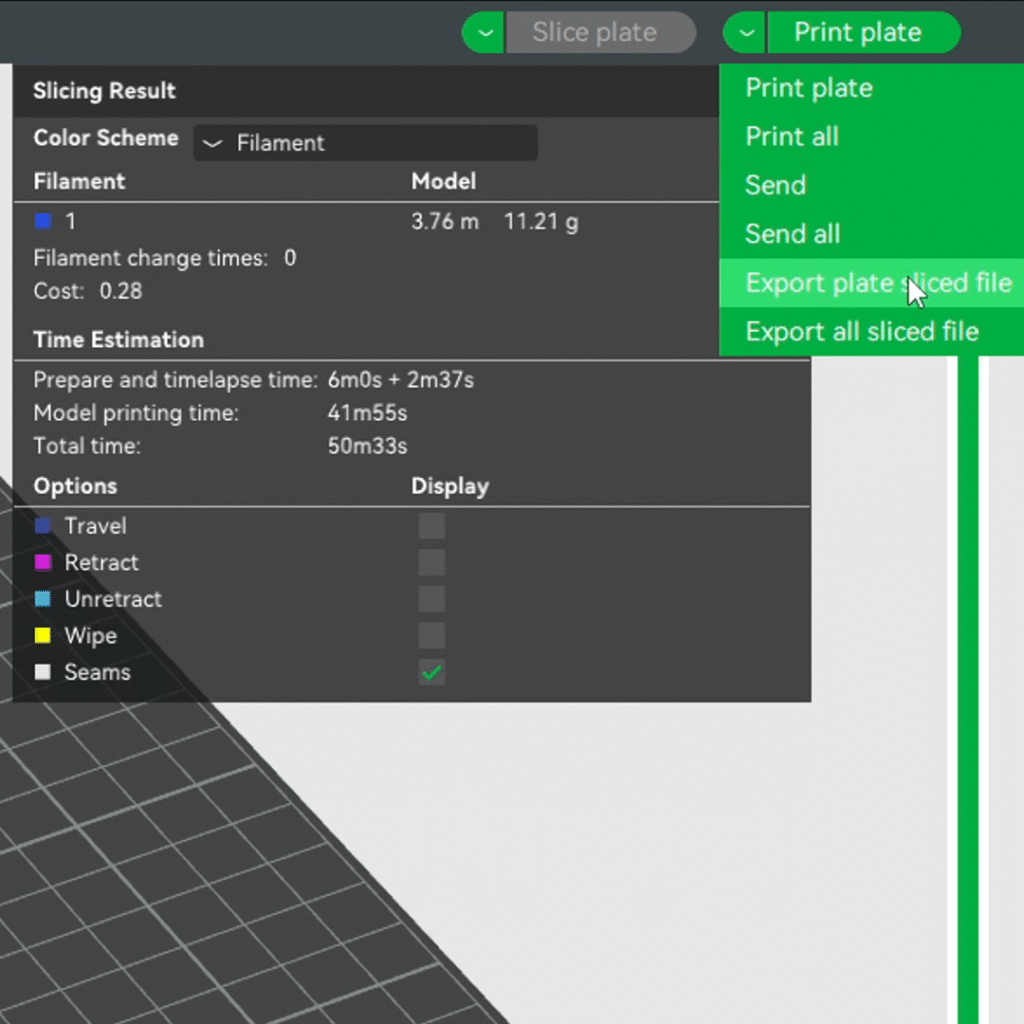
4. Instead of selecting the “Print plate” option, select the dropdown arrow just to the left of that feature to expand a list of options.
5. Select “Export plate sliced file” to export the .gcode.3mf file. Save it to your computer somewhere readily accessible.
6. Repeat steps 2-6 for any other 3D objects you would like to print.